AVA Backtest
The Advanced Volatility Activator (AVA) is an innovative technical analysis indicator designed to help traders identify and react to market volatility.
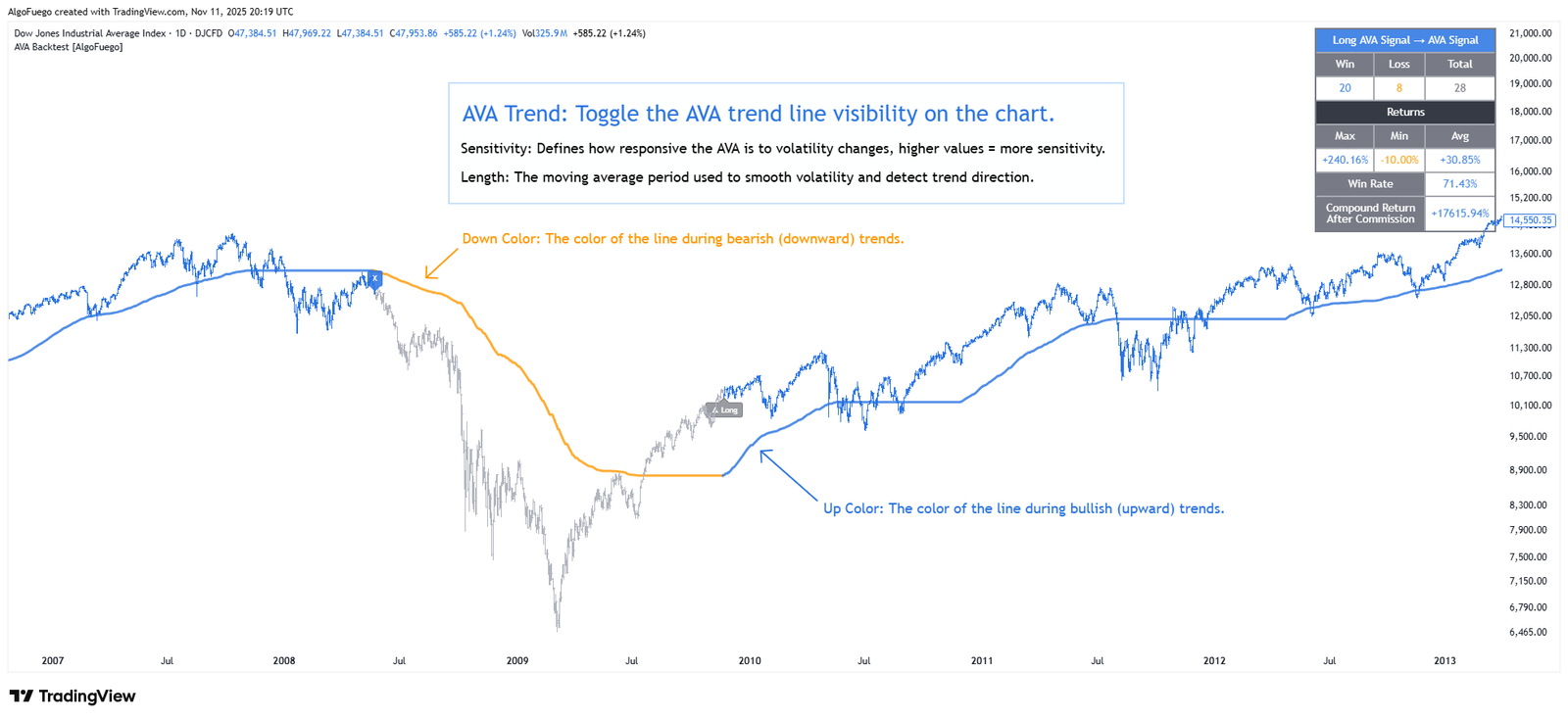
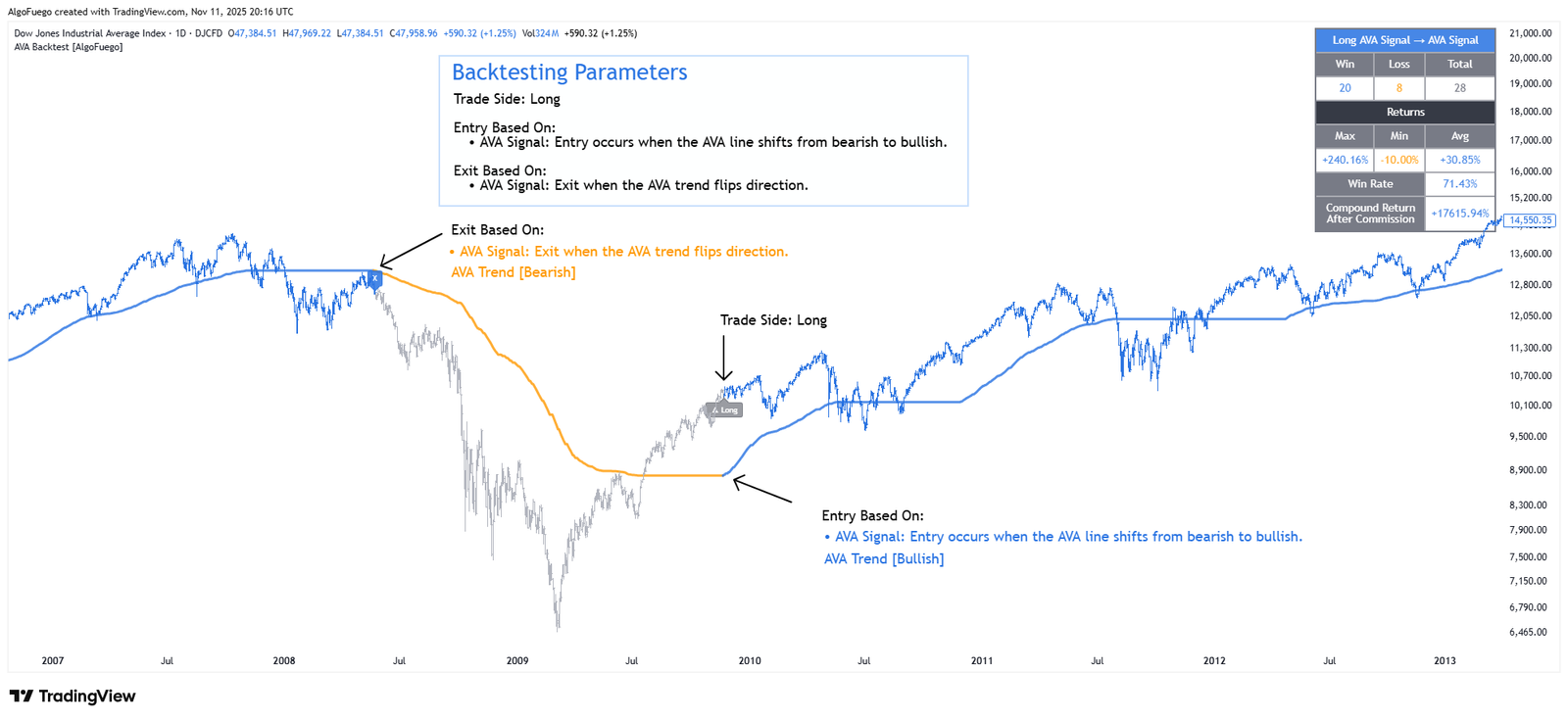
Description
The Advanced Volatility Activator (AVA) is an innovative technical analysis indicator designed to help traders identify and react to market volatility.
By blending adaptive volatility metrics with a refined moving‑average algorithm, the indicator offers traders a dynamically responsive framework for trend identification.
It combines volatility-based trend detection with customizable trade simulation, enabling traders to evaluate performance metrics, optimize risk parameters, and visualize trade outcomes directly on the chart.
Designed for both novice and advanced traders seeking data-driven decision-making.

Amit, Lead Developer & Market Strategist at AlgoFuego
Features

Automated Backtesting Engine
Runs historical trade simulations directly on your TradingView chart to evaluate strategy performance over time.
Long & Short Trading Support
Tests both long and short trade scenarios to analyze effectiveness in different market conditions.
Configurable Entry/Exit Rules
Customize how and when trades are opened and closed, including signal triggers and exit logic.
Risk & Money Management Inputs
Adjust key parameters such as stop-loss, take-profit, for realistic testing.
Visual Trade Markers
Displays entry, exit, stop-loss, and take-profit levels on the chart for easy interpretation of backtest results.
Performance Summary
Provides key metrics like total trades, win rate, net profit, and drawdown to help assess strategy robustness.
Commission & Cost Simulation
Include realistic trading costs such as commissions to evaluate net results more accurately.
Settings Overview
Fine-tune the indicator to match your unique trading strategy by adjusting trend settings, customizing alerts, and modifying visualization options.

Trade Direction
Choose to run backtests for Long, Short, or both trade types.
Entry & Exit Rules
Configure when trades are opened and closed, based on signals or bar count.
Risk Management
Set stop-loss, take-profit, and position sizing to manage potential losses and gains.
Visual Trade Options
Enable chart markers for entries, exits, stop-loss, and take-profit levels.
Commission & Costs
Include entry and exit commissions to simulate realistic trading conditions.
Performance Metrics
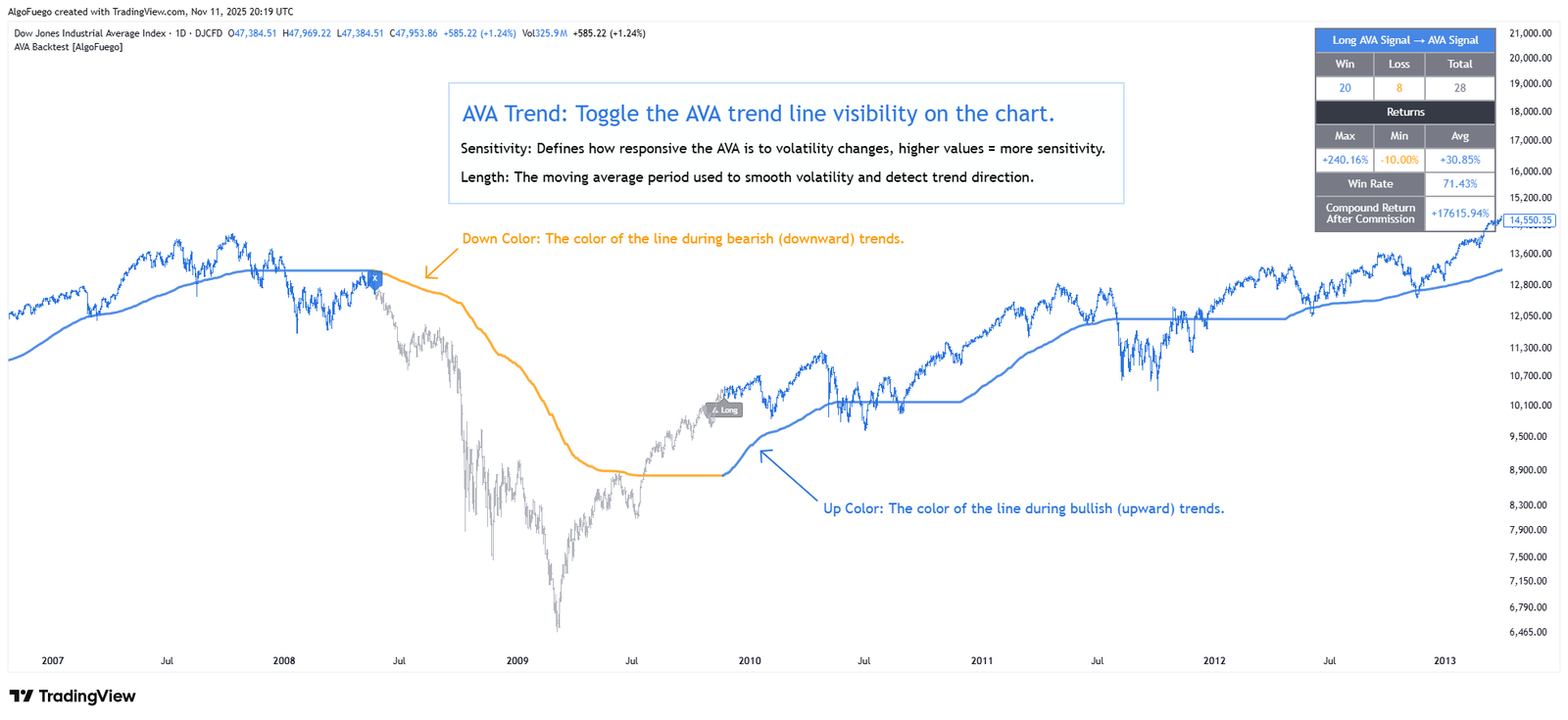
Track key statistics such as win rate, net profit, total trades, and drawdown directly on the chart.
How to Use
Follow these structured steps to maximize the effectiveness of the indicator: Understand the indicator, configure the settings, and execute your trades like a professional with a precise trading plan.
Apply AVA Backtest [AlgoFuego] to your TradingView chart.
Choose Long, Short, or both depending on your strategy focus.
Set how trades are triggered and closed using signals or bar counts.
Define stop-loss, take-profit, and position size to control risk.
Turn on chart markers to easily see entries, exits, and trade levels.
Analyze historical performance and review statistics like win rate, net profit.
Exclusive Offer : 30 Day Free Trial!
Sign up today and start using our premium tools risk-free for 30 days. Get the insights you need to make better trading decisions.