Timeseries-Driven Trading
A precision-engineered, date-driven trading engine built for systematic seasonal execution.
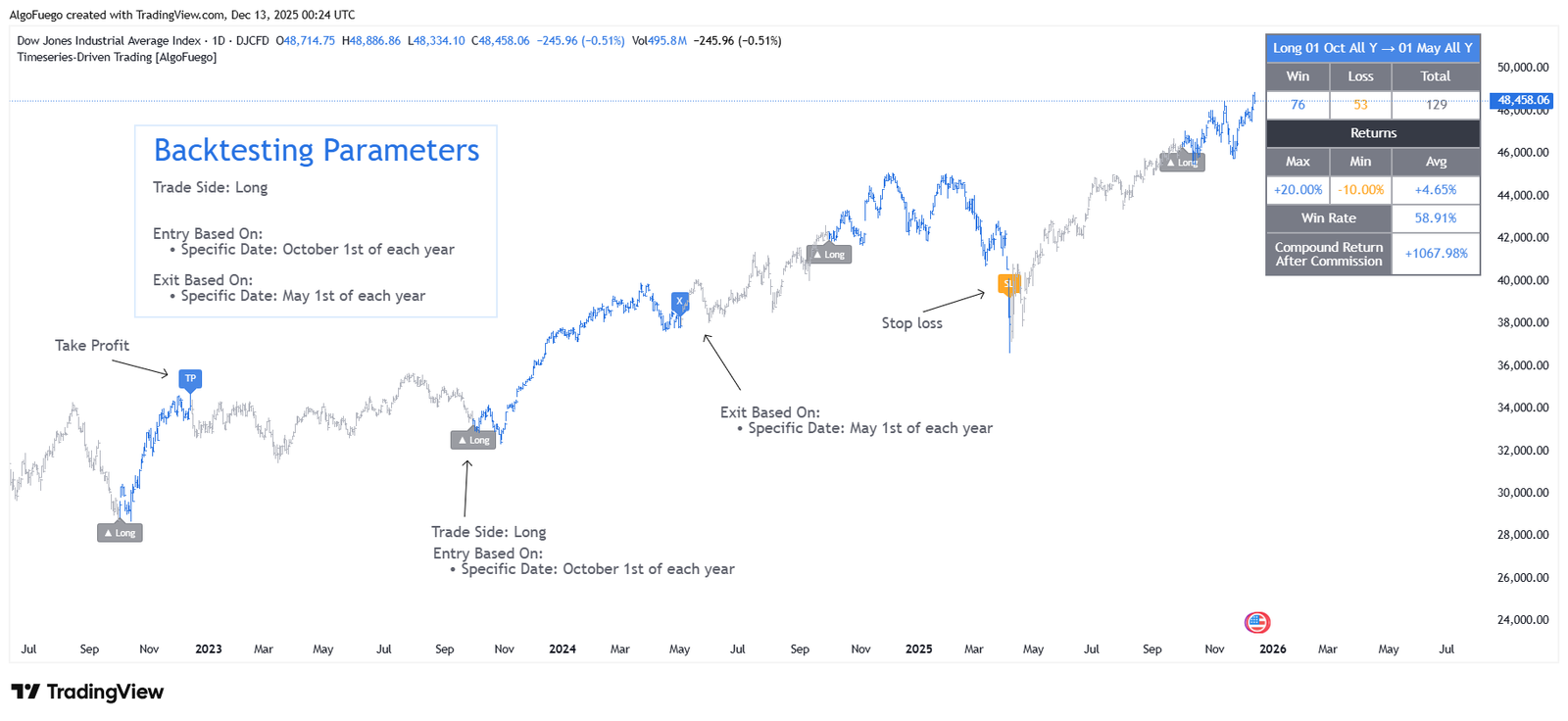
Description
A precision-engineered, date-driven trading engine built for systematic seasonal execution.
The script allows traders to build rule-based strategies where entries and exits are triggered strictly by calendar-based timestamps or bar-count logic, enabling highly controlled backtesting for seasonal cycles, time-anchored patterns, or recurring annual behaviors.
This tool combines time-series scheduling, dynamic trade-level management, customizable risk controls, and performance analytics—all inside a fully automated framework.
Designed for both novice and advanced traders seeking data-driven decision-making.

Amit, Lead Developer & Market Strategist at AlgoFuego
Features

Time-Series Driven Trading Logic
Executes trades based on predefined dates, time windows, or bar counts for precise, rule-based execution.
Custom Entry & Exit Scheduling
Fully configurable entry and exit dates (day/month/year) or duration-based exits.
Built-In Risk Management
Adjustable Stop-Loss and Take-Profit levels based on percentage risk control.
Advanced Backtesting Engine
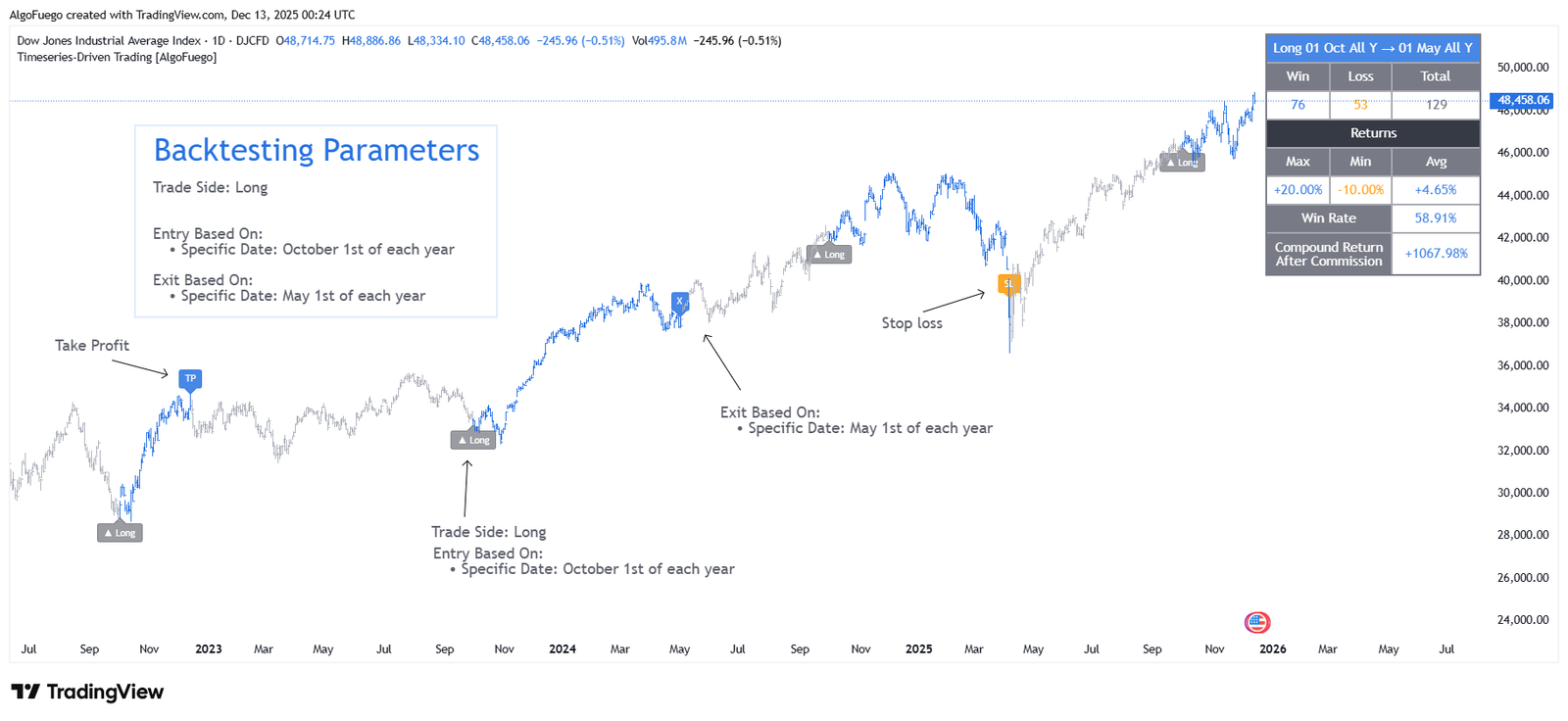
Detailed performance metrics including win rate, trade count, net profit, and duration analysis.
Visual Trade Mapping
Clear on-chart visualization of entries, exits, stop levels, and profit targets.
Smart Alerts System
Automated alerts for trade entries, exits, stop-loss, and take-profit events.
Highly Customizable Interface
Flexible settings with no code editing required, suitable for all trader levels.
Optimized for Systematic & Seasonal Strategies
Ideal for time-based, event-driven, and seasonal trading models.
Settings Overview

Entry Date & Time Define the exact day, month, year, or time window when a trade should be opened.
Exit Conditions Choose between date-based exits or bar-count (duration) based exits for flexible trade management.
Stop-Loss (%) Set a predefined percentage loss level to automatically limit downside risk.
Take-Profit (%) Specify a target profit percentage for automatic trade closure at desired levels.
Trade Direction Control Enable or disable long and short positions independently.
Backtesting Range Limit the strategy to a specific historical period for more accurate performance evaluation.
Visual Display Options Customize labels, lines, and table placement for a clean and readable chart layout.
Alerts Configuration Activate alerts for entries, exits, stop-loss, and take-profit events in real time.
How to Use
Choose Long or Short depending on the market direction you want to simulate.
Choose Specific Date (day, month, year filter) or Current Date.
Choose Specific Date or Bar Count (holding period).
Enable Stop Loss and Take Profit with percentages.
Display Entry/Exit levels and colored bars.
Receive notifications for Entry, Exit, Stop Loss, and Take Profit.
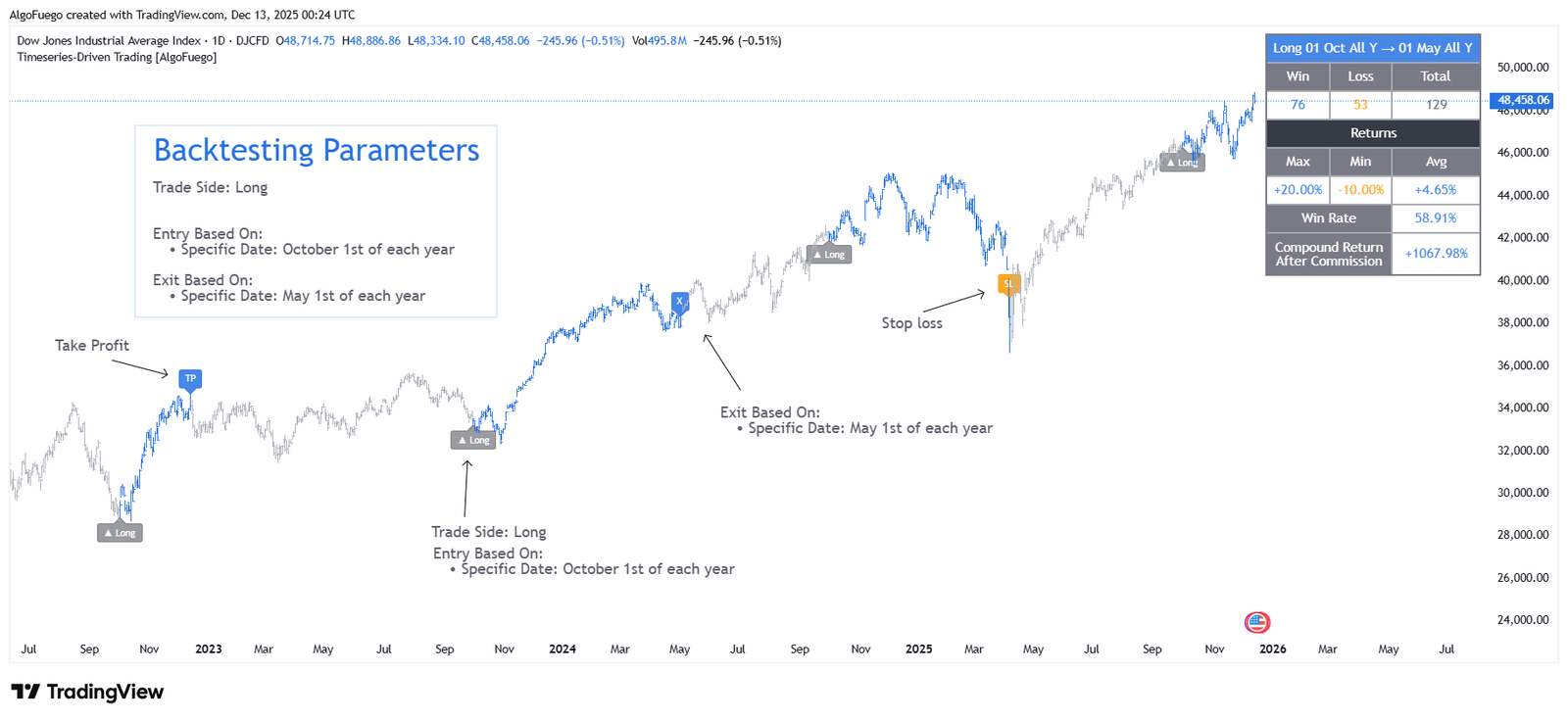
Once activated, trade markers, colored candles, and the statistics table will appear automatically.
Track trades, returns, win rate, compound return, and bars left. Optional: Include commissions and customize table appearance.
Exclusive Offer : 30 Day Free Trial!
Sign up today and start using our premium tools risk-free for 30 days. Get the insights you need to make better trading decisions.